 Top
> Software
> Business software
> Word processor/DTP
> ジャングル
Top
> Software
> Business software
> Word processor/DTP
> ジャングル |
Top
> Software
> Business software
> Word processor/DTP
> ジャングル |
Usage | | |
|
The lowest price for all 2 stores is ¥7,960[JPY].
Data may not be up to date. In this case, press the "Update list" button. Prices will be updated and the number of stores may increase significantly. AI comprehensively judges the product based on not only the JAN code, but also the manufacturer name, series name, model number, product name, product image, etc. As a result, there are few omissions in product detection, and the store list is one of the largest in Japan.
Two ways to find the lowest price price comparison listSimultaneous search of 150 sites|Selling rankingsRelated products
|
|
||||||||||||||||||||||||||
|
Click the button to update the lowest price! A significant increase in the number of cases can also be expected. 
 |
|
| 2 stores | 1 |
| No. |
|
postage | store name | image |
|
|||||||
|---|---|---|---|---|---|---|---|---|---|---|---|---|
| 1 |
|
|
        |
 |
書ける!PDF6 Professional Windows8対応版 JUCW-4141 Now record low/2 PDFファイルに、文字や線、チェックマーク、図形などを入れることができます。画像は、ドラッグ&ドロップで挿入が可能。PDFに直接記入できるので、Wordで発生するレイアウト崩れなどもありません。日付印・認印などの画像データも挿入でき、書類作成が圧倒的に便利になります。
書ける!PD... |
View store page | ||||||
| 2 |
|
|
      |
書ける!PDF6 Professional Windows8対応版[送料無料] Windows8 Now Cheap Order No.2/2 【在庫有】この商品は送料無料です。但し北海道、沖縄、その他離島・山間地は別途送料が発生しますのでご購入前にメール等でお問い合わせください。 |
View store page Add to cart |
| 1 |
|
|
You can use the text of the product name to find the lowest price from a wider range of famous sites such as shops, department stores, supermarkets, and flea markets. This includes shops not listed above. By selecting an information site, you can also search for how to use this product and articles. Search results will open in tabs.
In the above example, the number of target sites is 150, but if you install the tool (free), you will be able to search over 600 sites at the same time.
|
|
|
| Copyright © DAHA Corporation. All Rights Reserved. |

 manufacturer site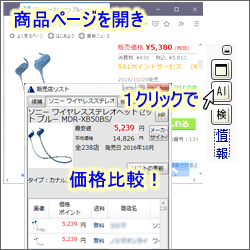

 Products with this icon could not be updated.


